Split expenses
Split the trip, not the friendship.
Fuel, the hut, the groceries, the campsite. On every Pathsie trip the group writes down what they paid, and Pathsie works out who owes whom.
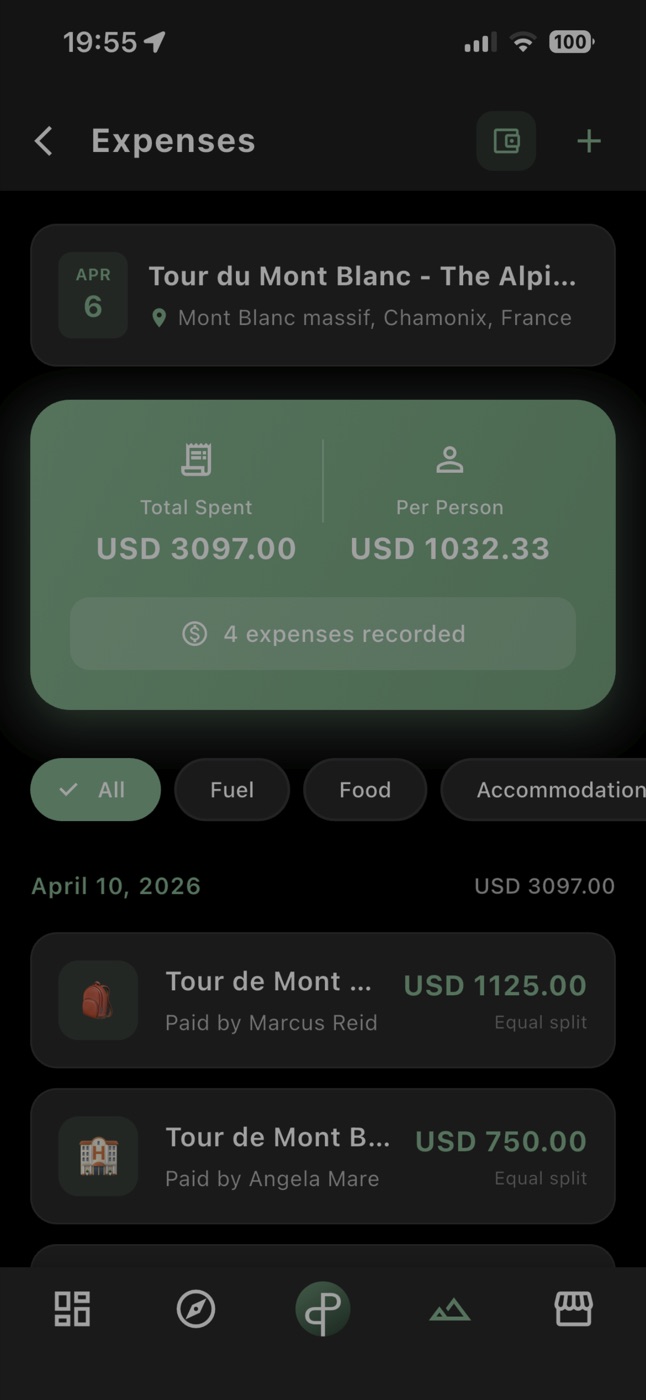
Every expense in one place
Add what you paid with a category (fuel, food, accommodation, gear...) and who it was for, right inside the trip.
Equal or custom splits
Split an expense equally between everyone, between some people, or by exact amounts.
Your currency
Record expenses in the currency you paid in; totals and per-person amounts are shown for the trip.
Settle up
At the end Pathsie shows who owes whom, and you mark payments as done.
Built into the trip
No separate app: expenses live next to the group chat, checklist, meal plan and route of the same trip.
How it works
- 1
Create a trip and invite your group.
- 2
Whoever pays adds the expense and picks who shares it.
- 3
After the trip, open Settle up to see who owes whom and mark each payment.
Questions
Is expense splitting free?
Yes. Expenses and settling up are free for every trip.
Does everyone need the app?
Everyone who adds or sees expenses needs to be in the trip in the Pathsie app.
Does Pathsie move money?
No. Pathsie works out who owes whom; you pay each other the way you usually do and mark it as paid.
Can I split only between some people?
Yes. Each expense can be shared by everyone, by some members, or by custom amounts.
Plan your next group trip
Pathsie is free on iOS and Android.